Order by talking.
Your guests just talk — in any language — and the order builds itself on screen, priced to the penny. Kiosk, table or takeaway counter. Your brand, your menu.


Three steps. No hardware to buy.
Talk it through with our setup assistant, or upload a photo of the menu you already have — it reads every item, price and allergen straight in.
Any tablet or till screen becomes a kiosk. A QR code turns a table into one. Nothing to install, nothing to wire in.
They order in their own words, in their own language. You get a clean English ticket, priced correctly, in the kitchen.
Built for how your place actually works.
Guests say what they want instead of hunting through six screens of modifiers. The upsell gets offered every single time — politely, once.

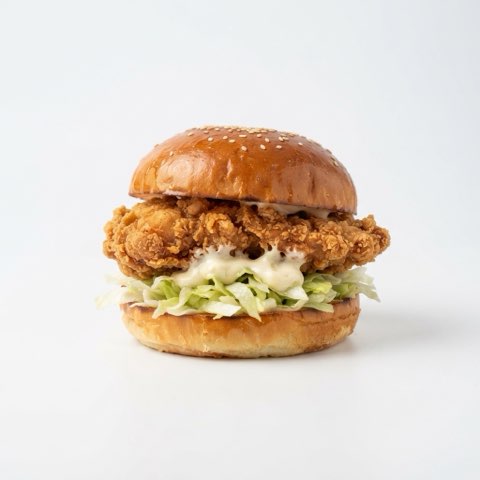


The menu stays on screen while the table talks. Allergen questions get answered from your data — never guesswork — and the check fires to the kitchen in English.
The bits a busy counter forgets.
time
The meal upgrade and the drink get offered on every order — never rushed past, never forgotten.
languages
A guest orders in Polish or Spanish; your kitchen ticket still comes out in English.
guesswork
Allergen answers come only from what you entered. It says “ask a member of staff” rather than inventing.
hardware
Runs in a browser on the screens you already own. Keep your till, keep your printer.
Photograph your menu.
That’s the setup.
Upload a picture or a PDF of the menu you already have and it reads every section, item and price into the system. Then talk to it — “add a lamb kofta wrap, nine fifty” — and it’s on the screen before you’ve finished your tea.
Menu draft — live
One price per venue.
Not per screen.
Put it on as many screens as your venue needs — the price follows how much you use it, not how much kit you own. Every plan includes a monthly order allowance; past it, orders are 5p each.
One venue, unlimited screens. Your full menu, your branding, voice ordering in any language.
- 500 orders a month included
- 5p an order after that
- Cancel any time
For a counter that’s genuinely busy. Everything in Starter, plus the kitchen screen and live menu editing.
- 2,500 orders a month included
- 5p an order after that
- Kitchen screen · live menu editing
High-volume sites and drive-thru. Same platform, sized for the queue that doesn’t stop.
- 7,500 orders a month included
- 5p an order after that
- Priority support
Multiple sites, POS integration, your own domain and one menu shared across the estate.
- Priced per estate
- Rollout and training included
On top of your own Stripe rate, and only on orders we actually take for you. On a £9 order that’s 9p. Take payment on your existing till instead and it’s nothing at all — the subscription is the same either way.
ALL PRICES EXCLUDE VAT
We’re taking venues on
a few at a time.
There’s no sign-up button, on purpose — we set every venue up ourselves, build your first menu with you and watch the first orders go through. Put your name down and we’ll come back to you. Want to see it working first? Ask for a demo and we’ll do it live.
What happens next:
- You tell us about your place — two minutes, no card
- We book a demo and give you a code to try it yourself
- If it suits you, we set your menu up and you go live
Prefer email? hello@whatllitbe.com
Already set up? Sign in to Studio.
Fifteen minutes on a call, and you’ll see your own menu taking orders by voice.